


Download Meeting Rooms – meeting room scheduler, real-time meeting tracker, room booking app, iCal calendar sync, meeting status indicator
Overview
The Meeting Rooms app is a specialized productivity tool designed to streamline the management of meeting spaces in professional and collaborative environments. Its primary purpose is to provide real-time visibility into the scheduling status of designated meeting rooms, helping teams avoid conflicts and optimize space utilization. By displaying current and upcoming meetings, the app serves as a central reference point for users, especially in shared office settings where multiple teams rely on the same facilities. It is particularly useful for touch-screen devices mounted directly outside meeting rooms, enabling quick, glanceable access to room availability without requiring users to check personal calendars.
Target users include office administrators, team leads, and employees in corporate or co-working environments who frequently book or attend meetings. The app helps maintain professionalism by reducing accidental disruptions during active sessions, contributing to a more focused work atmosphere. While the developer, Thomas P. Larson, is credited with the creation, no additional background information about the individual or their prior projects was provided. The app’s role in the broader productivity ecosystem is significant, as it bridges the gap between digital calendar systems and physical workspace management. Its real-world use cases include preventing double bookings, minimizing scheduling delays, and enhancing transparency across teams.
Key Features & Functionality
- Real-Time Scheduling: The app displays live updates of current and upcoming meetings for a specific room, ensuring users can make informed decisions about availability. This feature is especially beneficial in high-traffic office environments where multiple meetings occur back-to-back.
- User-Friendly Interface: Designed with simplicity in mind, the interface allows users to navigate schedules effortlessly. Even individuals with minimal technical experience can understand how to read the room status and book sessions without confusion.
- Attention-Grabbing Status Bar: A bright red status bar indicates when a meeting is in progress, serving as a visual signal to discourage interruptions. This subtle yet effective design choice supports workplace etiquette and enhances meeting focus.
- iCal Integration Support: Users can sync their calendars by adding a shared ICS link from platforms like Google Calendar or Office 365. This ensures that the app reflects accurate, up-to-date information from existing calendar systems, reducing manual input errors.
- Support & Feedback Mechanism: The developer provides a direct channel for users to report issues, share suggestions, or request assistance. This fosters a responsive development cycle and encourages continuous improvement based on real user needs.
For example, a team leader can quickly check if a conference room is free before scheduling a critical client call. Similarly, a receptionist can use the app to guide visitors to available meeting spaces without needing to consult multiple systems. The integration with iCal ensures that any changes made in a central calendar are reflected instantly, maintaining synchronization across teams.
Interface, UX & Performance
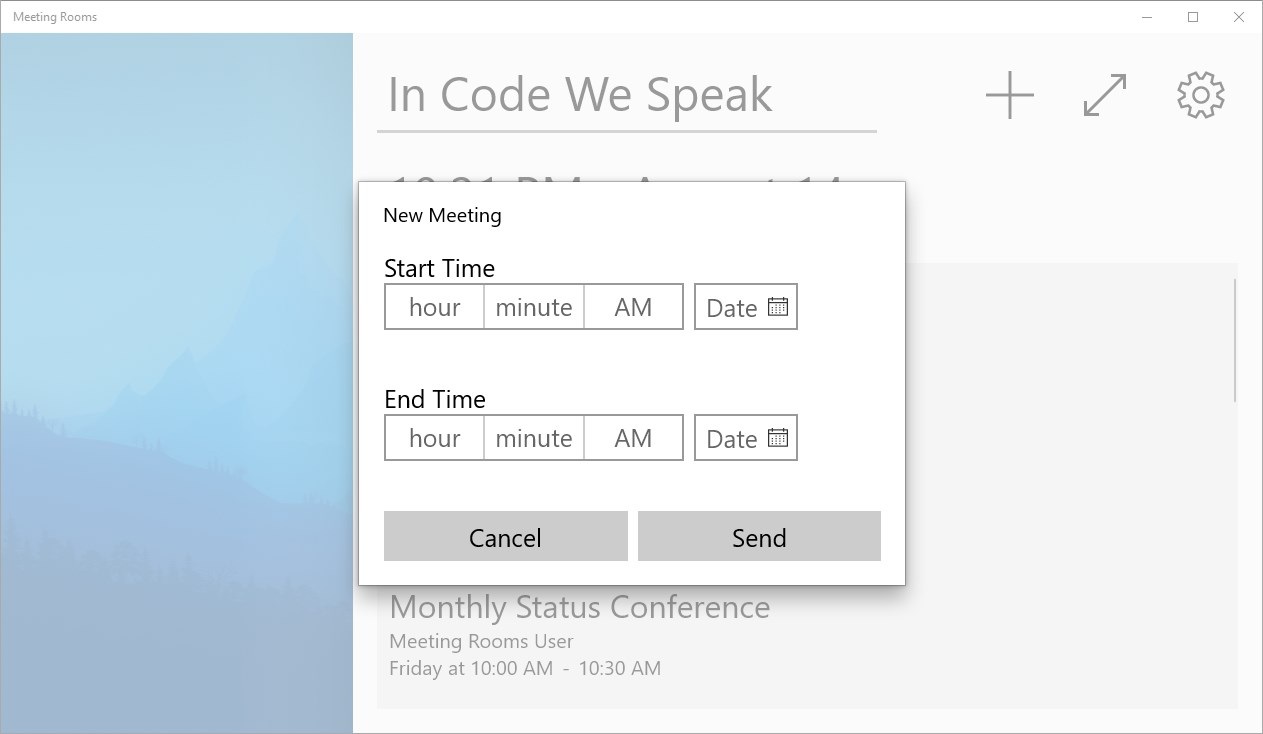
The user interface of Meeting Rooms is clean, minimal, and optimized for touch-screen interaction. The layout prioritizes readability and immediate access to key information, with meeting times, titles, and status clearly displayed. Visual hierarchy is well-structured, using color coding—particularly the red status bar—to convey urgency and real-time conditions. Navigation is straightforward, relying on intuitive touch gestures suitable for users of all experience levels.
Although the developer did not list formal performance metrics, the app’s lightweight design suggests efficient resource usage. With a file size of 4.2MB, it is optimized for quick installation and smooth operation on a variety of Android devices. The app maintains responsiveness during updates to the meeting schedule, ensuring minimal lag when switching between rooms or refreshing data. Stability appears to be a focus, as the app functions reliably in continuous display scenarios, such as on wall-mounted tablets in meeting rooms. However, specific requirements for device categories or OS versions were not disclosed.
Platform Compatibility & Technical Requirements
Meeting Rooms is available exclusively on the Android platform. The current software version is 1.0.3, with a file size of 4.2MB, making it a lightweight download suitable for devices with limited storage. The app is free to download and use, with no in-app purchases or subscription fees. While the developer did not specify minimum OS requirements or device compatibility details, its design suggests compatibility with standard Android tablets and smartphones, particularly those used in fixed, mounted setups.
For users seeking to install the app on a touch-screen device outside a meeting room, the app’s interface is likely optimized for landscape mode and extended screen visibility. The absence of detailed technical specifications means that compatibility with specific Android versions or hardware configurations remains unconfirmed. Users are advised to ensure their device supports Android and can run apps in a continuous display mode for optimal functionality.
Pros and Cons
- Free to use for both personal and commercial purposes
- Real-time meeting visibility enhances scheduling accuracy
- Intuitive interface suitable for non-technical users
- Clear visual status indicator with red warning bar
- Supports iCal integration for seamless calendar syncing
- Lightweight design with minimal storage footprint
- No official documentation on minimum OS or device requirements
- Platform limited to Android only
- Specific update frequency or support timeline not disclosed
- Support channel details not publicly listed
- No built-in analytics or reporting features
FAQ
Is Meeting Rooms available for iOS devices?
The app is currently available only on the Android platform. There is no official release for iOS at this time.
Can I sync my Google Calendar with Meeting Rooms?
Yes, the app supports iCal integration, allowing users to add a shared ICS link from Google Calendar or other compatible providers.
How do I know if a meeting is currently in progress?
A bright red status bar appears at the top of the screen when a meeting is active, serving as a visual signal to avoid interruptions.
Is the app safe to download and use?
Meeting Rooms is free and available through official Android channels. It does not require excessive permissions and is designed for secure, local use in office environments.
How often does the app update the meeting schedule?
The app refreshes meeting data in real time when connected to a synced calendar. The frequency depends on the source calendar’s update cycle and network conditions.
Final Thoughts
Meeting Rooms delivers a focused, reliable solution for managing meeting space availability in shared work environments. Its real-time scheduling, clear visual cues, and iCal integration make it a practical tool for teams aiming to improve coordination and reduce scheduling conflicts. The app’s lightweight design and free access further enhance its appeal, especially for organizations seeking low-cost, high-impact productivity utilities. While its platform exclusivity to Android and lack of detailed technical specs may limit some users, its core functionality remains effective and well-executed.
Professionals, office managers, and team coordinators who manage multiple meeting rooms will benefit most from this app. It bridges the gap between digital calendars and physical spaces, ensuring that meeting rooms are used efficiently and respectfully. For anyone looking to streamline room booking and minimize disruptions, Meeting Rooms offers a simple yet powerful solution.
Download Meeting Rooms now


